血条样式
样式写在 plugins/CloudHealthBar/styles/ 底下的任意 yml(一个文件可以写好几个样式),mobs.yml 用样式名称指定。
默认有三种:
| 样式 | 外观 | 默认用在 |
|---|---|---|
normal | 细银框,上方名字 | 所有 MythicMobs 怪物 |
elite | 金框 + 左端冷青宝石,名字前有宝石图标,血条下方显示血量 | 内部名称含 elite |
boss | 祥云宝石冠饰、双金框、两端金枪尖,名字两侧皇冠,下方血量数字与药水效果 | 内部名称含 boss、凋灵 |
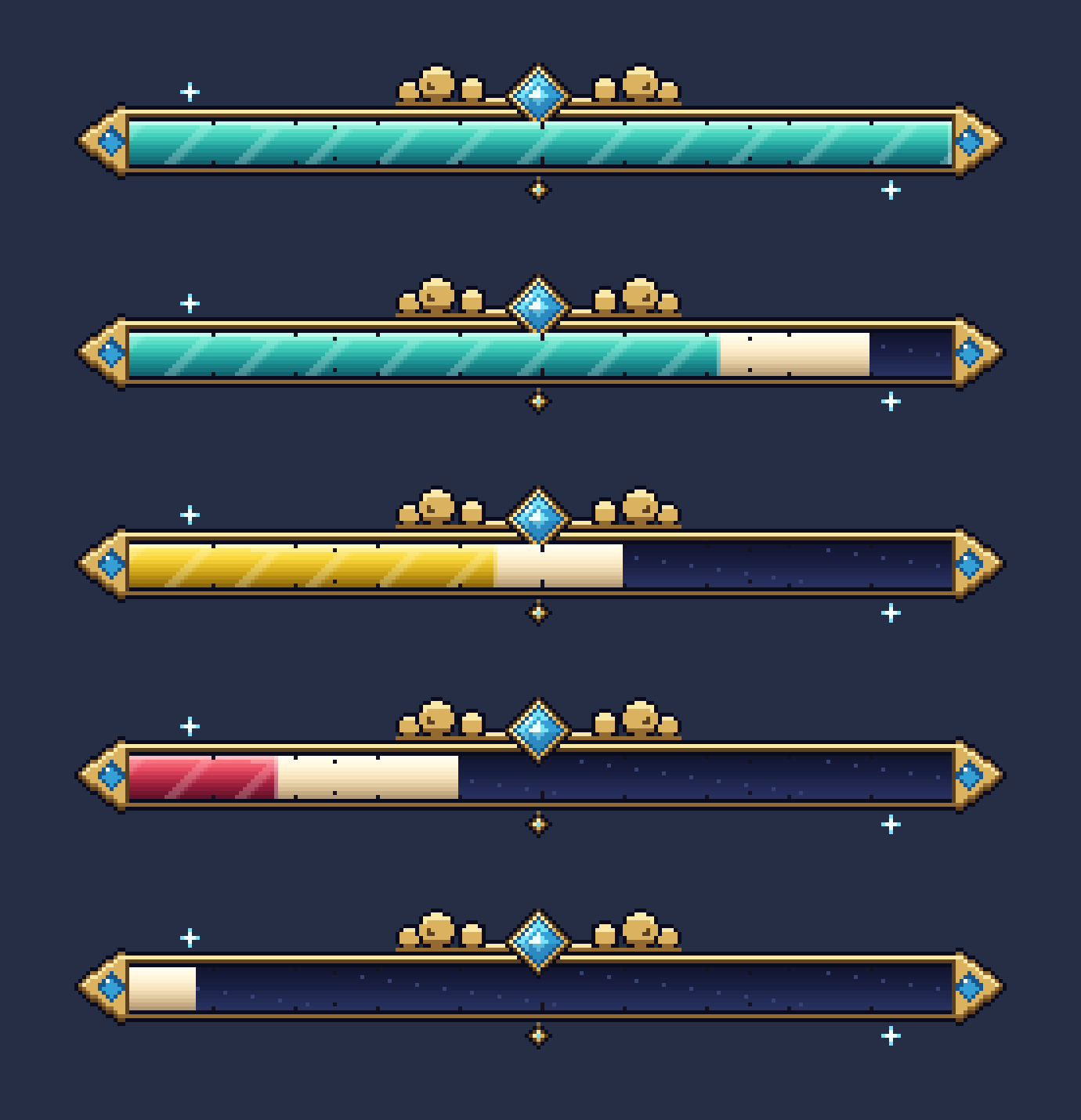
整体设定
boss:
  scale: 0.8          # 整体大小(1 = 一个文字像素 1/40 格)
  height: 0.6         # 血条底部离怪物头顶多高(格),每只怪物还可以在 mobs.yml 再加
  billboard: center   # center 永远面向镜头 / vertical 只左右转 / horizontal / fixed
  see-through: false  # true = 隔着墙也看得到
图片血条 bar
  bar:
    folder: boss            # 图片在 images/boss/
    height: 19              # 显示高度(文字像素);图片本身可以是任意分辨率,会缩放到这个高度
    background: background.png
    fills:                  # 依血量比例选一张(由上往下找第一个符合的)
      - image: fill_high.png
        above: 0.6          # 高于 60% 用青色
      - image: fill_mid.png
        above: 0.3          # 高于 30% 用黄色
      - image: fill_low.png
        above: 0            # 其他用红色
    trail: trail.png        # 受伤残影(不要就删掉这行)
    frame: frame.png        # 盖在最上面的外框 / 刻度(可省略)
    steps: 0                # 血量分几格;0 = 每个图片像素一格(最滑顺)
    edge-glow: 0.4          # 血量前缘提亮(0~1)
想要四段颜色?多加一张图、一个门槛就好,例如 above: 0.8 用金色。图片怎么画见 自己画血条。
血量动画(下降速度、残影停留时间)是全服共用的,在 config.yml 的 animation。
文字元素 elements
每个元素是一层文字,可以放任意多个:
  elements:
    name:
      text: "{icon:boss} <gradient:#fff3c8:#e2b45c>{name}</gradient> {icon:boss}"
      anchor: bar-top     # 放在血条上方
      y: 0
      scale: 0.9
    health:
      text: "<font:cloudhealthbar:digits><#eef5ff>{health}<#8fa3cc> / </#8fa3cc>{max_health}</font>"
      anchor: bar-bottom  # 放在血条下方
      scale: 0.7
      shadow: false
    effects:
      text: "{effects}"
      anchor: bar-bottom
      y: -6               # 再往下 6 个文字像素
      scale: 0.7
      shadow: false
| 栏位 | 说明 | 默认 |
|---|---|---|
text | 内容,MiniMessage 格式,可用下方变量 | — |
anchor | bar-top 血条上方 / bar-center 叠在血条中间 / bar-bottom 血条下方 / base 怪物头顶(不管血条) | bar-top |
x / y | 再偏移多少文字像素(y 正数往上) | 0 |
scale | 相对整体 scale 的大小 | 1 |
shadow | 文字阴影 | true |
layer | 叠放顺序,数字越大越靠前(血条本身占 0~3) | 4 |
background | 底色 #AARRGGBB,例如 #60000000 半透明黑底 | 透明 |
opacity | 文字不透明度 26~255 | 255 |
变量
| 变量 | 内容 |
|---|---|
{name} | 名字:mobs.yml 的 name → MythicMobs 显示名 → 自订名称 → 原版名字(按玩家客户端语言) |
{health} / {max_health} | 目前 / 最大血量(格式见 number-format,默认 1,024) |
{health_short} / {max_health_short} | 缩写:12.5K、3.2M(单位见 short-units) |
{percent} | 血量百分比(整数) |
{absorption} | 伤害吸收(黄心) |
{level} / {mythic_id} | MythicMobs 等级 / 内部名称 |
{type} | 实体类型(小写,例如 zombie) |
{effects} | 身上的药水效果图标(最多 max-effects 个,直接用原版图标) |
{icon:<名字>} | icons/<名字>.png 的图标 |
%…% | PlaceholderAPI 变量,按看血条的玩家解析(每 10 tick 更新一次) |
字体
<font:cloudhealthbar:digits>…</font>:内置像素数字(0-9 / , . % K M B - + : ( ) x),白色可以随意上色。- 自己的 TTF / 位图字体放进
fonts/并写在fonts.yml,用<font:cloudhealthbar:<名字>>,见 字体。 - 其他资源包的字体也能直接用,例如
<font:minecraft:uniform>,或 CraftEngine / ItemsAdder 的图片字(PlaceholderAPI 变量)。
例子:只有文字的血条
不写 bar 就是纯文字血条:
text_only:
  scale: 0.6
  height: 0.3
  elements:
    line:
      text: "<white>{name} <red>❤ {health_short}<gray>/{max_health_short}"
      anchor: base